SweetFX Settings DB
Latest forum threads
4 weeks, 1 day ago
1 month, 2 weeks ago
by Horace
2 months ago
2 months, 2 weeks ago

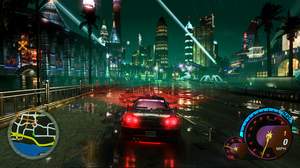
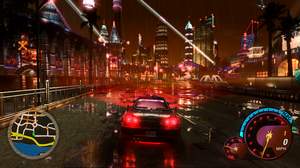
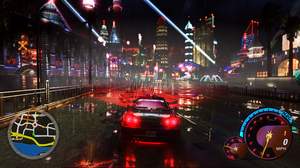
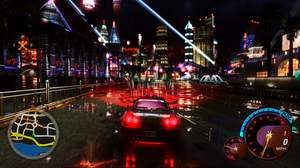
Mixed Sky & Fog Colors + Ultra Enhance

Created by gRiMBMW
Added April 6, 2026
Updated 7 Apr 04:03 CEST
Shader used: ReShade
Preset description:
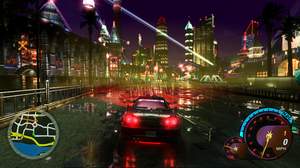
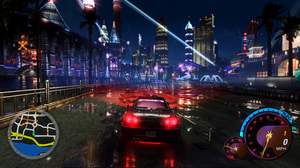
For download link and install instructions, scroll down and click the 'Show / Hide settings' tab/button below. -Info- A total of 43 ReShade presets, and I have included an in-game picture for each preset in the download link from the 'Show / Hide settings' section below. I have also included some pics at the bottom of this page. Widescreen and specific texture mods are also used in those pics from the bottom of the page; these ReShade presets might look slightly brighter to you than in my pics from the bottom if you use those presets in mix with vanilla UG2 textures rather than modded/darker textures. HD Reflections with improved motion blur are also some used mods in these pics from the bottom along with custom sky textures in-game. -Other used mods- Widescreen: http://thirteenag.github.io/wfp#nfsu2 Roads Texture Mod (need 'Texmod.exe' or 'TexModLoader.exe' to load): https://sharemods.com/en0qiyr34jhr/U2_LastBreath_Final.rar.html Custom Sky Textures: https://drive.google.com/file/d/1WgHfTd_KgxISFG14DVTB5xQQKalX0Qqw/view?usp=drive_link Buildings Texture Mod (need 'Texmod.exe' or 'TexModLoader.exe' to load): https://www.patreon.com/posts/nfs-underground-74355456 HD Reflections & Improved motion blur: https://nfsmods.xyz/mod/3363 Shaders for puddles/rain effects: https://nfsmods.xyz/mod/6271 Custom puddles texture (need 'Texmod.exe' or 'TexModLoader.exe' to load): https://drive.google.com/file/d/1VRsZLgKk-pJ1ajeI7_m7A-t08WS5aQf9/view?usp=drive_link Fully Saturated Headlights bulbs (use the Binary tool to achieve that: https://nfsmods.xyz/mod/1638) Animated Billboards & Neon Signs (needs the included TexWizard.asi and TexWizard.json files inside the 'scripts' folder): https://nfsmods.xyz/mod/5223 In-Game Map: https://drive.google.com/file/d/1w_VJDN1aGpmNHWsqm_FqlVVt4O5ELyzD/view?usp=drive_link
Download preset Show / Hide settings
Download link: https://drive.google.com/file/d/1XSGYejBVh3RymHL-OrKhImfG7jVB4_Ut/view?usp=drive_link -Install Instructions- 1. Move all the files and folders from the folder of the download link, place them inside your NFSUG2 directory next to its 'speed2.exe' file (or whatever you named it) 2. Run your ‘speed2.exe’ file (or whatever you named it) normally, don't run it in compatibility mode 3. When you're in the in-game menu, go to 'Options', pick 'Display' and disable 'Fog', 'Full Screen Anti-Aliasing', 'Tinting', 'Horizon Fog' and 'Overbright' 4. Press and hold the left 'Shift' button from your keyboard, then press the 'F2' button to open ReShade and change whatever you want in ReShade's tabs 5. Press the '6' and '7' keys from your keyboard to switch to different ReShade presets, or change ReShade's hotkeys from its settings if you want
Comments

You need to be logged in to post a comment