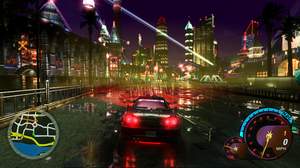
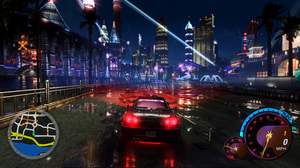
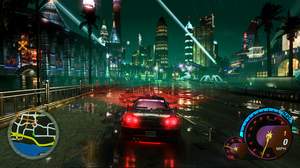
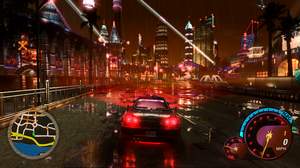
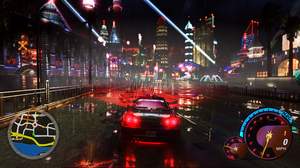
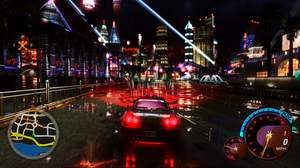
For download link and install instructions, scroll down and click the 'Show / Hide settings' tab/button below.
-Info-
A total of 43 ReShade presets, and I have included an in-game picture for each preset in the download link from the 'Show / Hide settings' section below. I have also included some pics at the bottom of this page.
Widescreen and specific texture mods are also used in those pics from the bottom of the page; these ReShade presets might look slightly brighter to you than in my pics from the bottom if you use those presets in mix with vanilla UG2 textures rather than modded/darker textures. HD Reflections with improved motion blur are also some used mods in these pics from the bottom along with custom sky textures in-game.
Video: https://www.youtube.com/watch?v=a2o-wgj7b00
-Other used mods in the pics below-
Widescreen:
http://thirteenag.github.io/wfp#nfsu2
Roads texture mod (need 'Texmod.exe' or 'TexModLoader.exe' to load):
https://sharemods.com/en0qiyr34jhr/U2_LastBreath_Final.rar.html
Custom Sky textures:
https://drive.google.com/file/d/1WgHfTd_KgxISFG14DVTB5xQQKalX0Qqw/view?usp=drive_link
Buildings texture mod (need 'Texmod.exe' or 'TexModLoader.exe' to load):
https://www.patreon.com/posts/nfs-underground-74355456
HD Reflections & Improved Motion Blur:
https://nfsmods.xyz/mod/3363 (don't install/use simultaneously with my ReShade presets if you don't have a good gaming PC because they eat a lot of FPS when used simultaneously)
Shaders for Puddles/Rain effects:
https://nfsmods.xyz/mod/6271
Custom Puddles texture (need 'Texmod.exe' or 'TexModLoader.exe' to load):
https://drive.google.com/file/d/1VRsZLgKk-pJ1ajeI7_m7A-t08WS5aQf9/view?usp=drive_link
Fully Saturated Headlights Bulbs (use the Binary tool to achieve that:
https://nfsmods.xyz/mod/1638)
Animated Billboards & Neon Signs (needs the included TexWizard.asi and TexWizard.json files inside the 'scripts' folder):
https://nfsmods.xyz/mod/5223
In-Game Map:
https://drive.google.com/file/d/1w_VJDN1aGpmNHWsqm_FqlVVt4O5ELyzD/view?usp=drive_link
Shader materials pack (using UG2 PS2 Demo Shader):
https://nfsmods.xyz/mod/4453
Extra Options (for non-stop raining):
https://nfsmods.xyz/mod/290
-Additional mods in the vid above-
'Piss Filter Removal' mod:
https://nfsmods.xyz/mod/7197
Updated Sky & fixed Sky mirroring issue (update already included in the download link above)
Car Replacement mods with retuned performance/ fixed models from NFS Cars (
https://www.nfs-cars.com/), NFS Addons (
https://www.nfsaddons.com/) and/or NFS Mods (
https://nfsmods.xyz/)
Extended Customization:
https://nfsmods.xyz/mod/2425
'Headlight Controller' mod (to disable HUD):
https://www.nfsaddons.com/downloads/nfsug2/tools/8175/nfsu2-headlight-controller.html
Traffic Cars Superpack:
https://www.nfs-cars.com//need-for-speed-underground-2/6/files/view/8914/
Secondary texture mod for Buildings:
https://drive.google.com/file/d/1n4j_oRiHuZksIIM1TMMoF5XbHM5Dk5aB/view?usp=drive_link
Distant Yellow Lights on Roads textures/City Grid (as seen from Jackson Heights, use the NFS-TexEd tool to open the 'STREAML4RA.BUN' file from the 'TRACKS' folder and search for 'city'):
https://drive.google.com/file/d/1rIrUAPRBLpsJEKeg0pXbL0pI9FobUW-W/view?usp=drive_link
Red Tire Smoke:
https://www.nfs-cars.com/need-for-speed-underground-2/6/files/view/10433/
Unlimiter:
https://nfsmods.xyz/mod/1588