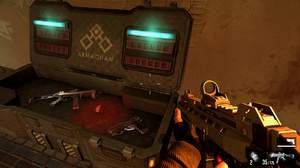
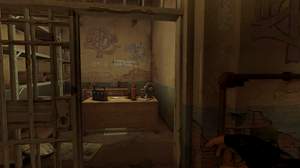
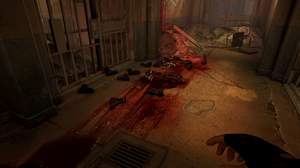
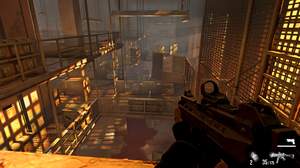
Techniques=MartysMods_Launchpad@MartysMods_LAUNCHPAD.fx,Lumenite_Kernel@lumenite_Kernel.fx,Lumenite_TRAA@lumenite_TRAA.fx,Lumenite_RTAO@lumenite_RTAO.fx,MartysMods_MXAO@MartysMods_MXAO.fx,Clarity@Clarity.fx,LumaSharpen@LumaSharpen.fx,LevelsPlus@LevelsPlus.fx,Technicolor2@Technicolor2.fx
TechniqueSorting=MartysMods_Launchpad@MartysMods_LAUNCHPAD.fx,Lumenite_Kernel@lumenite_Kernel.fx,Lumenite_TRAA@lumenite_TRAA.fx,Lumenite_RTAO@lumenite_RTAO.fx,MartysMods_MXAO@MartysMods_MXAO.fx,Clarity@Clarity.fx,LumaSharpen@LumaSharpen.fx,LevelsPlus@LevelsPlus.fx,Vibrance@Vibrance.fx,Technicolor2@Technicolor2.fx,HQ4X@HQ4X.fx,Daltonize@Daltonize.fx,SMAA@SMAA.fx,Deband@Deband.fx,DisplayDepth@DisplayDepth.fx,MartyMods_Sharpen@MartysMods_SHARPEN.fx,Levels@Levels.fx,Lumenite_AnamorphicBloom@lumenite_AnamorphicBloom.fx,MartyMods_FilmGrain@MartysMods_FILMGRAIN.fx,Lumenite_LSAO@lumenite_LSAO.fx,Lumenite_QuantAO@lumenite_QuantAO.fx,LUMENITE_SSSR@lumenite_SSSR.fx,MartysMods_AntiAliasing_Prepass@MartysMods_SMAA.fx,MartysMods_AntiAliasing@MartysMods_SMAA.fx,MartysMods_SOLARIS@MartysMods_SOLARIS.fx,Lumenite_QuantMotion@lumenite_QuantMotion.fx,MultiLUT@MultiLUT.fx,Technicolor@Technicolor.fx,Tonemap@Tonemap.fx,UIMask_Top@UIMask.fx,UIMask_Bottom@UIMask.fx
[Clarity.fx]
ClarityBlendIfDark=50
ClarityBlendIfLight=205
ClarityBlendMode=5
ClarityDarkIntensity=0.800000
ClarityLightIntensity=0.196000
ClarityOffset=2.000000
ClarityRadius=3
ClarityStrength=0.299000
ClarityViewBlendIfMask=0
ClarityViewMask=0
[DisplayDepth.fx]
bUIShowOffset=0
bUIUseLivePreview=0
fUIDepthMultiplier=1.000000
fUIFarPlane=50.000000
fUIScale=1.000000,1.000000
iUILogarithmic=0
iUIOffset=0,0
iUIPresentType=2
iUIReversed=0
iUIUpsideDown=0
[Levels.fx]
BlackPoint=16
HighlightClipping=0
WhitePoint=235
[LevelsPlus.fx]
ACESLuminancePercentage=100,100,100
ColorRangeShift=0.000000,0.000000,0.000000
ColorRangeShiftSwitch=1
enableACESFilmRec2020=0
enableACESFilmRec2020old=1
enableACESFitted=0
EnableLevels=1
HighlightClipping=0
InputBlackPoint=0.027451,0.027451,0.027451
InputGamma=0.800003,0.800003,0.800003
InputWhitePoint=1.019608,1.019608,1.019608
OutputBlackPoint=0.000000,0.000000,0.000000
OutputWhitePoint=1.000000,1.000000,1.000000
[LumaSharpen.fx]
offset_bias=1.003000
pattern=0
sharp_clamp=0.237000
sharp_strength=1.076000
show_sharpen=0
[lumenite_RTAO.fx]
AO_INTENSITY=0.250000
DEBUG_VIEW=0
DEPTH_BOUNDARY=0.900001
DEPTH_FADE_START=0.750000
[lumenite_TRAA.fx]
DEBUG_EDGES=0
EDGE_MODE=1
HFI_INTENSITY=0.010000
HISTORY_BLEND=0.900000
MAX_SHARP_DIFF=0.100000
SHARP_STRENGTH=1.000000
SHOW_STATUS=0
[MartysMods_LAUNCHPAD.fx]
NORMALS_MODE=1
OPTICAL_FLOW_Q=1
TEXTURED_NORMALS_INTENSITY=0.500000
TEXTURED_NORMALS_QUALITY_ENUM=2
TEXTURED_NORMALS_RADIUS=0.500000
[MartysMods_MXAO.fx]
HELP1=0
MXAO_DEBUG_VIEW_ENABLE=0
MXAO_FADE_DEPTH=10.000000
MXAO_FILTER_SIZE=0
MXAO_GLOBAL_SAMPLE_QUALITY_PRESET=2
MXAO_SAMPLE_RADIUS=2.500000
MXAO_SSAO_AMOUNT=0.500000
MXAO_WORLDSPACE_ENABLE=1
SHADING_RATE=0
[Technicolor2.fx]
Brightness=1.300000
ColorStrength=0.200000,0.200000,0.200000
Saturation=0.900000
Strength=0.875000
[Vibrance.fx]
Vibrance=0.150000
VibranceRGBBalance=1.000000,1.000000,1.000000